Disable hibernation
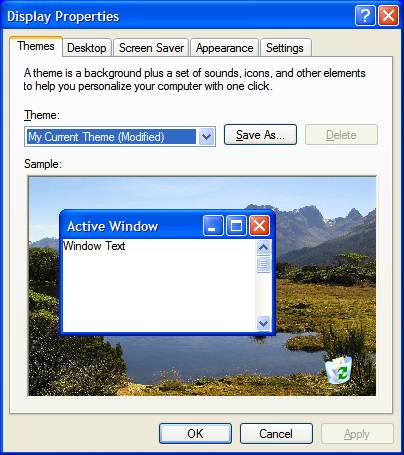
Right click on an empty part of your desktop and select properties, and you should see this screen
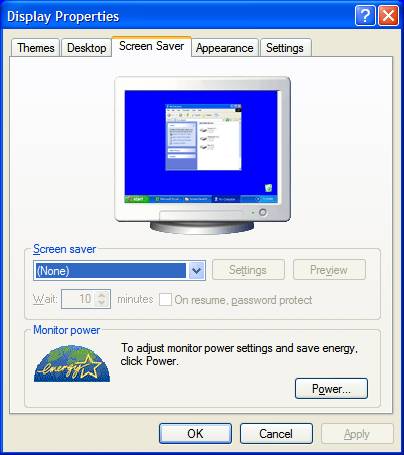
Click on the screen saver tab and you should see this screen
Click on the power button, and you should see this screen
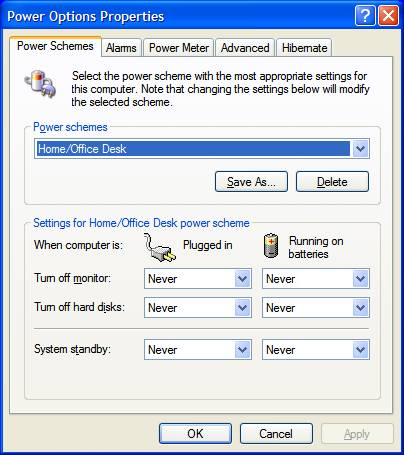
Change your settings to match mine, and click apply. Click on the hibernation tab and you will see a screen like this.
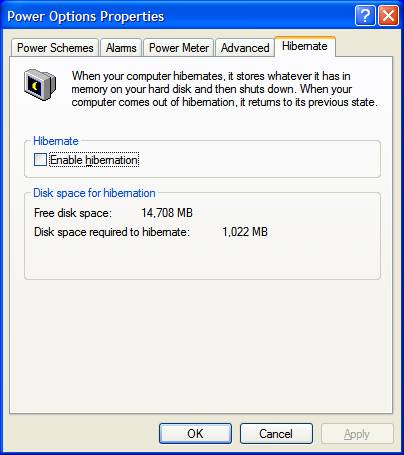
Notice how much disk space is required to hibernate. Uncheck the enable hibernation box and you will get back the free space, for mine it was just about 1 gig of space.
Click apply, click ok, and click ok, until all the boxes are gone.
Thank you
Norman